# pfSense Tests
# Overview
This document presents **network connectivity tests**, **NAT operation**, and **intrusion detection with Suricata** for a pfSense firewall configured in a segmented environment (WAN, LAN, DMZ). The objective is to validate that:
- Firewall and NAT rules work as expected.
- Traffic is correctly filtered between segments.
- Suricata detects and alerts on suspicious activities.
# Table of Contents
- [pfSense Tests](#pfsense-tests)
- [Overview](#overview)
- [Table of Contents](#table-of-contents)
- [I. Network Connectivity Tests](#i-network-connectivity-tests)
- [WAN](#wan)
- [LAN](#lan)
- [DMZ](#dmz)
- [II. NAT Test Sample](#ii-nat-test-sample)
- [DMZ-WEB01-LIN](#dmz-web01-lin)
- [DMZ-MS2-LIN](#dmz-ms2-lin)
- [DMZ-MS3-LIN](#dmz-ms3-lin)
- [DMZ-MS3-WIN](#dmz-ms3-win)
- [Suricata Tests](#suricata-tests)
- [Tested Scenario](#tested-scenario)
- [Conclusion](#conclusion)
# I. Network Connectivity Tests
This section details the tests performed to verify connectivity between different network segments (WAN, LAN, DMZ) and validate proper firewall rule operation.
On a machine from each interface (WAN, LAN, DMZ), perform network connection tests using some useful commands (`ping, curl, nc`).
### WAN
**Objective**: Verify that traffic from the WAN (virtual) is correctly filtered, and that only authorized connections (e.g., HTTP via NAT) are possible.
Commands executed:
```bash
# Connection test to LAN-TEST-LIN (from WAN, should fail)
ping -c 4 192.168.10.100
# Connection test to WAN host (from WAN, should fail)
ping -c 4 192.168.1.47
# HTTP access test to DMZ via NAT (from WAN, should succeed)
curl -I http://juice.lab
```
Results:
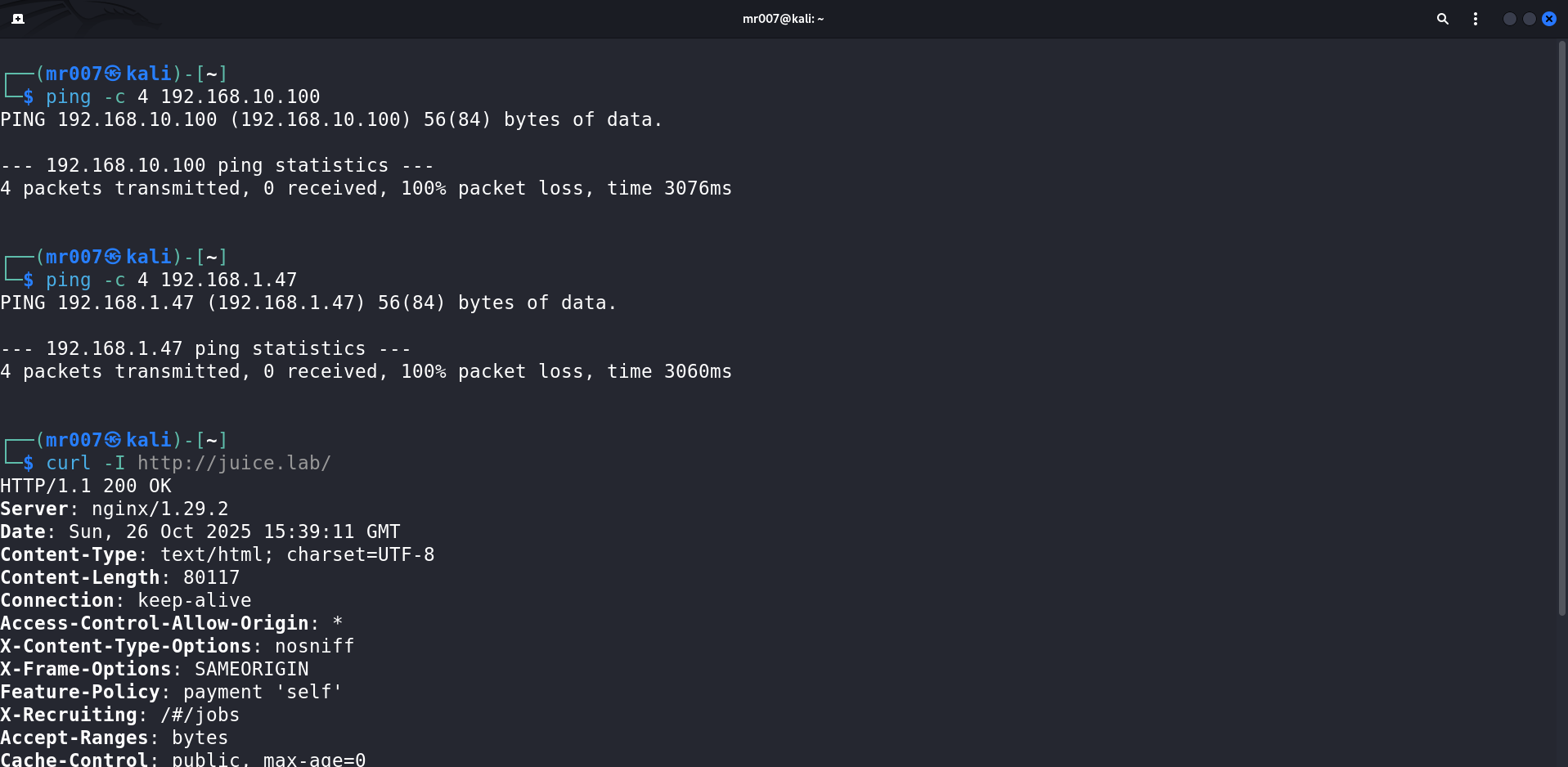
Connection test results:
- WAN → DMZ ✅ (NAT rule authorizes web HTTP traffic, see NAT section below)
- WAN → LAN ❌
Firewall rules work as expected on the WAN interface.
### LAN
**Objective**: Validate that LAN machines can communicate with each other, with the DMZ, and access the Internet (virtual WAN, host LAN).
Commands executed:
```bash
# Display /etc/hosts file (local DNS)
sudo cat /etc/hosts
# Connection test to LAN-SIEM-LIN
ping -c 4 siem.lab
# Connection test to DMZ-WEB01-LIN
ping -c 4 vuln-web.lab
# Connection test to WAN (Internet)
ping -c 4 8.8.8.8
```
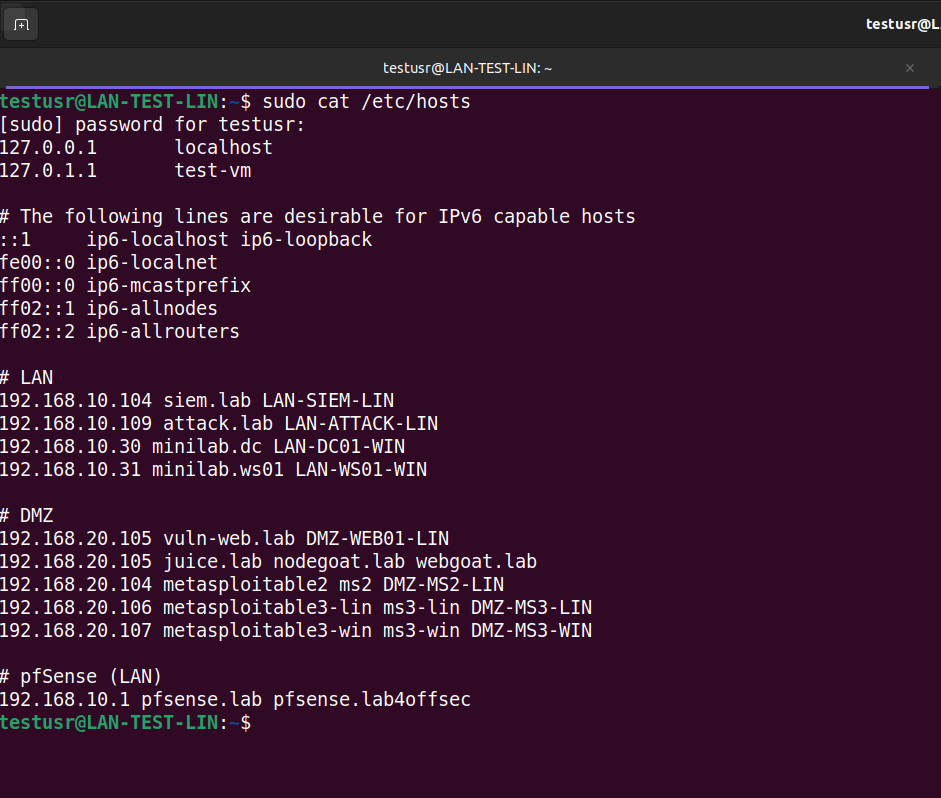
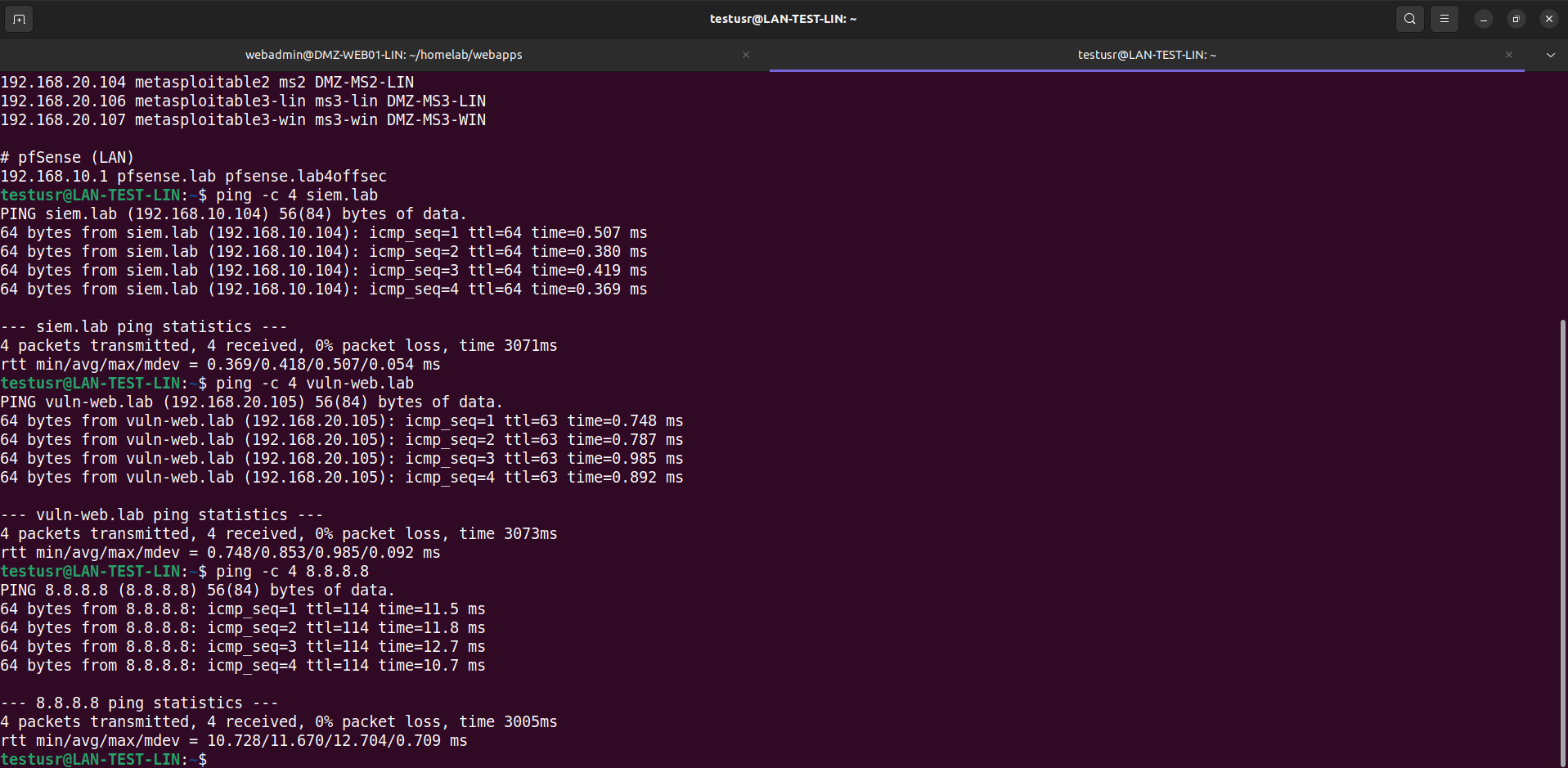
Connection tests:
- LAN → WAN ✅
- LAN → LAN ✅
- LAN → DMZ ✅
Firewall rules work as expected on the LAN interface.
### DMZ
**Objective**: Ensure that DMZ machines can access the Internet (virtual WAN, host LAN) and communicate with each other, but not to the LAN (except configured exceptions).
Commands executed:
```bash
# SSH connection to DMZ machine
ssh webadmin@vuln-web.lab
# Connection test to WAN (Internet)
ping -c 4 8.8.8.8
# Connection test to LAN-SIEM-LIN
ping -c 4 192.168.10.104
# Connection test to DMZ-MS2-LIN
ping -c 4 192.168.20.104
# Connection test to LAN-SIEM-LIN port 1514 authorized
nc -v 192.168.10.104 1514
# Connection test to LAN-SIEM-LIN port 1515 authorized
nc -v 192.168.10.104 1515
# Connection test to LAN-SIEM-LIN port 1520 unauthorized
nc -v 192.168.10.104 1520
```
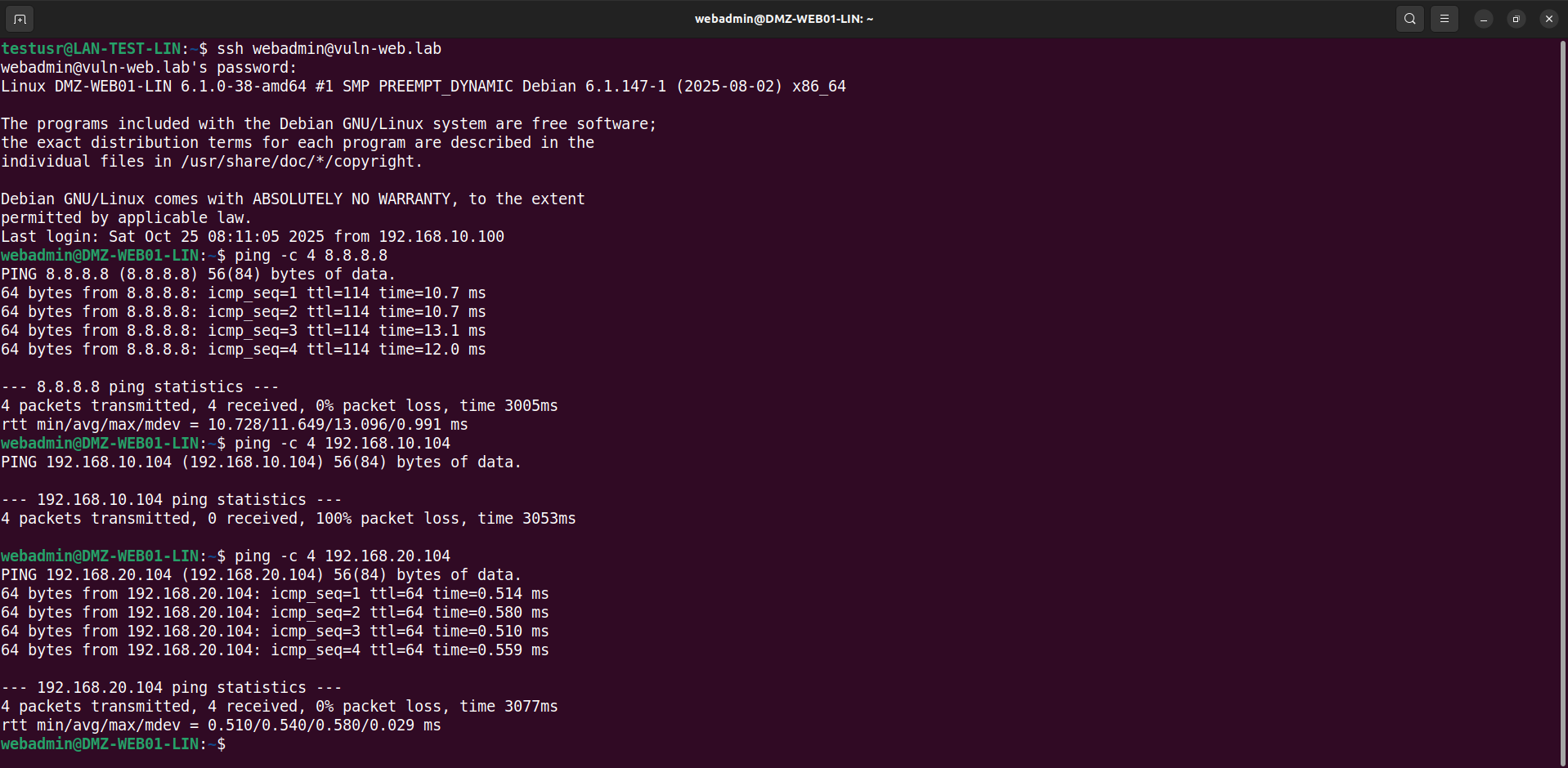
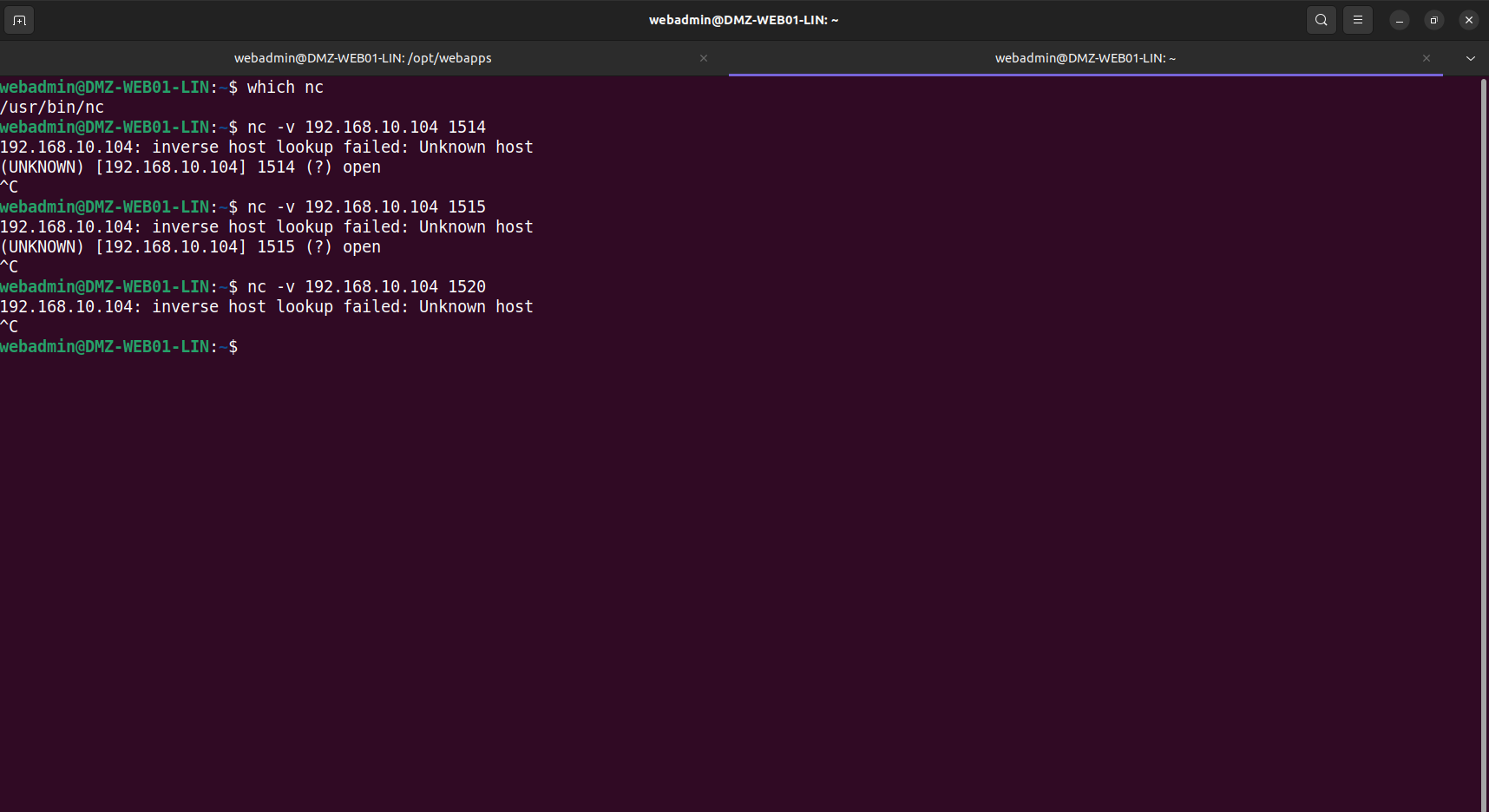
Connection tests:
- DMZ → WAN ✅
- DMZ → LAN ❌
- DMZ → DMZ ✅
Firewall rules work as expected on the DMZ interface.
# II. NAT Test Sample
This section presents test examples to validate proper NAT rule operation, allowing exposure of DMZ web services to the WAN.
All tests will therefore be performed from the WAN.
### DMZ-WEB01-LIN
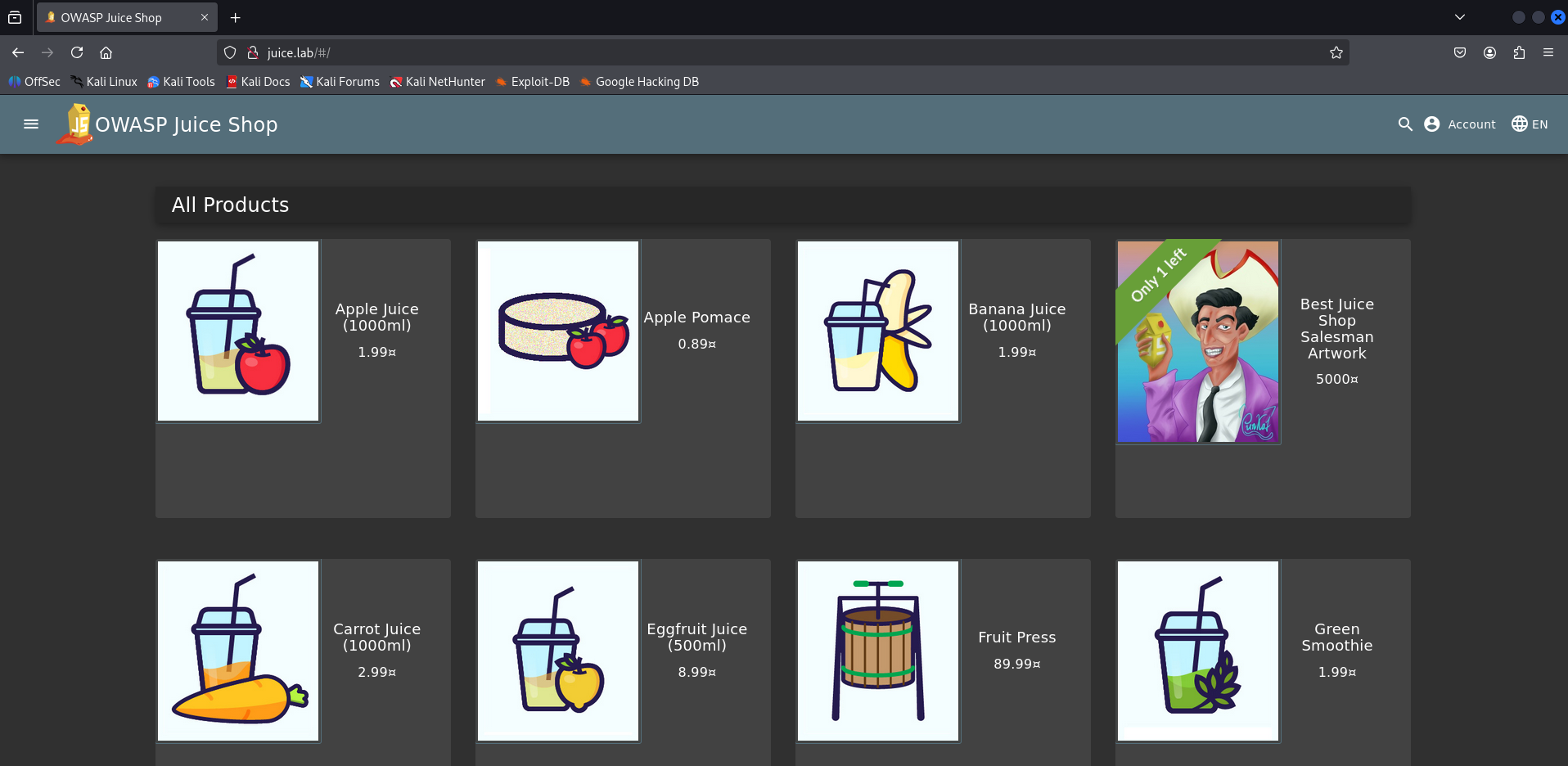
We successfully access the Juice Shop lab.
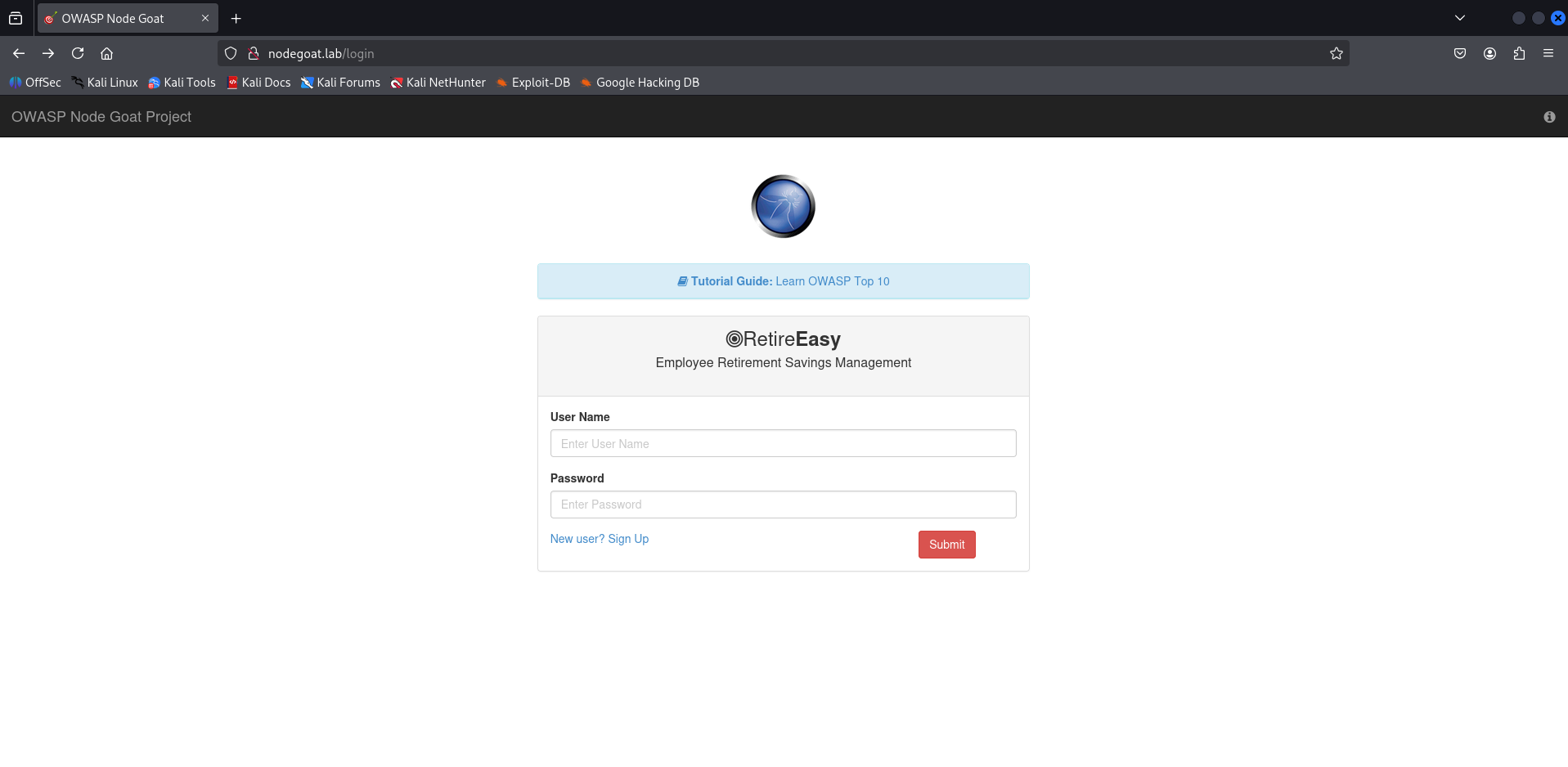
Same for the Node Goat lab.
### DMZ-MS2-LIN
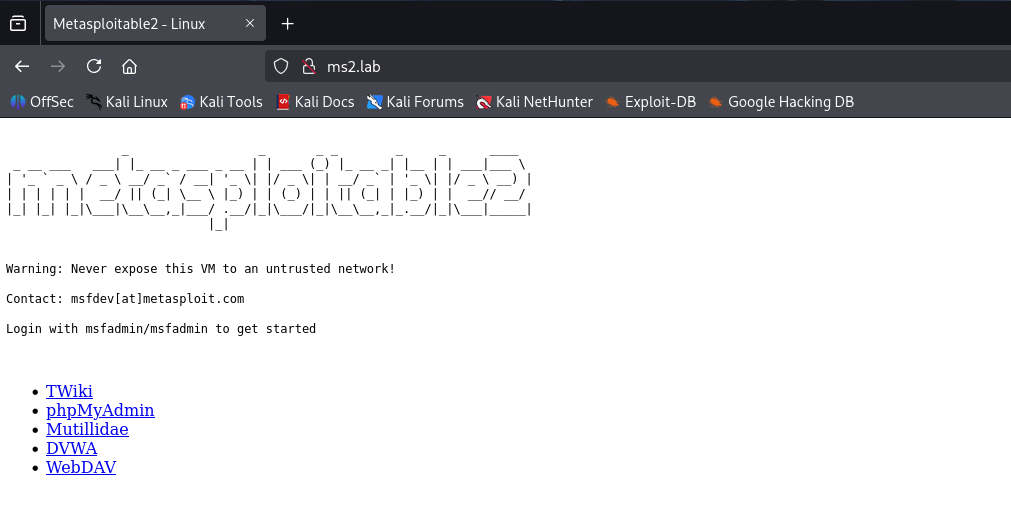
The first web service of Metasploitable2 (port 80) is also accessible from the WAN with other exposed services (phpMyAdmin, OWASP Damn Vulnerable Web App (DVWA), WebDAV, etc.).
### DMZ-MS3-LIN
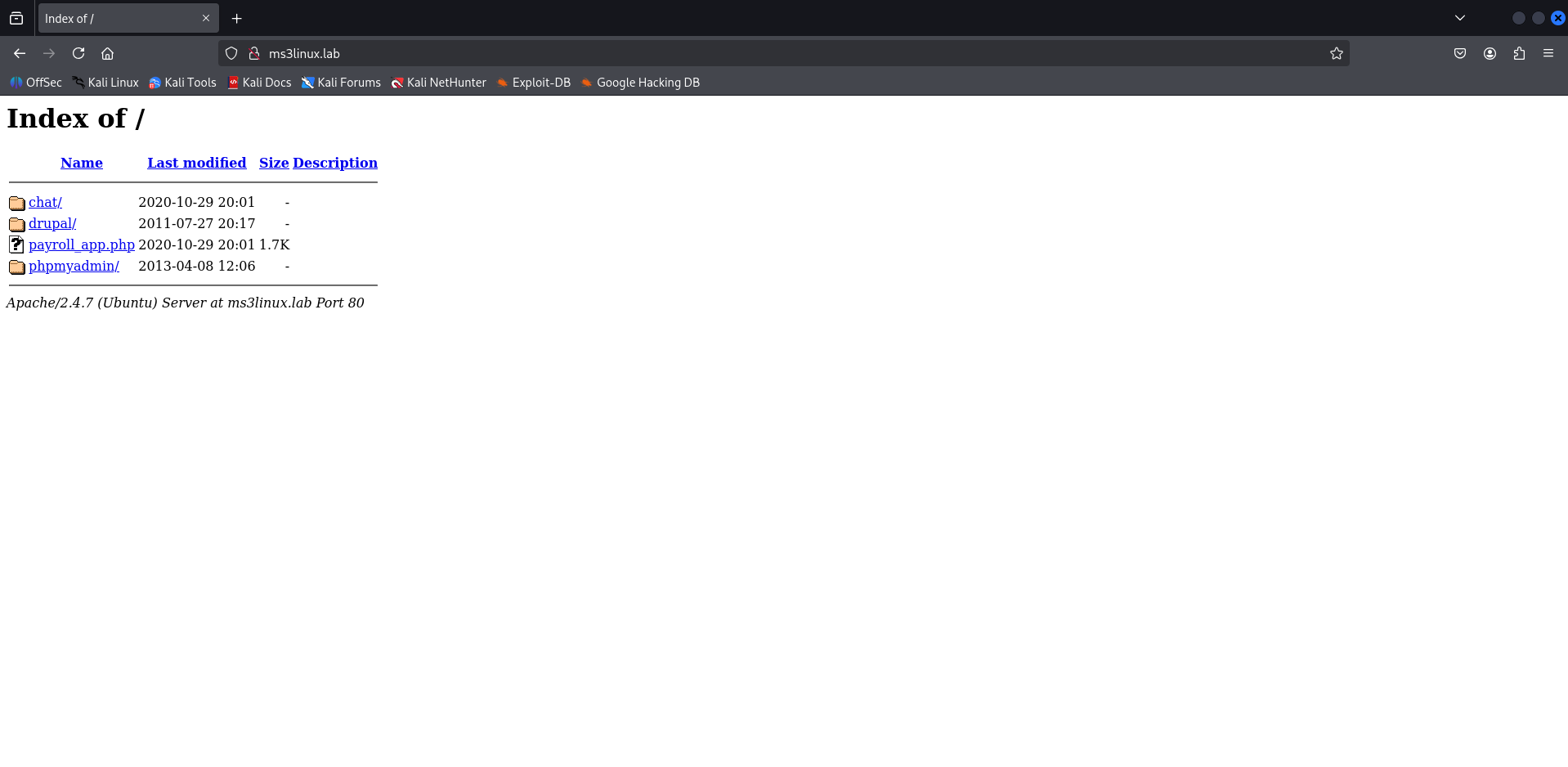
Similarly, the first web service of Metasploitable3 (Linux version, port 80) is also accessible from the WAN with other exposed services (phpMyAdmin, chat app, drupal, etc.).
### DMZ-MS3-WIN
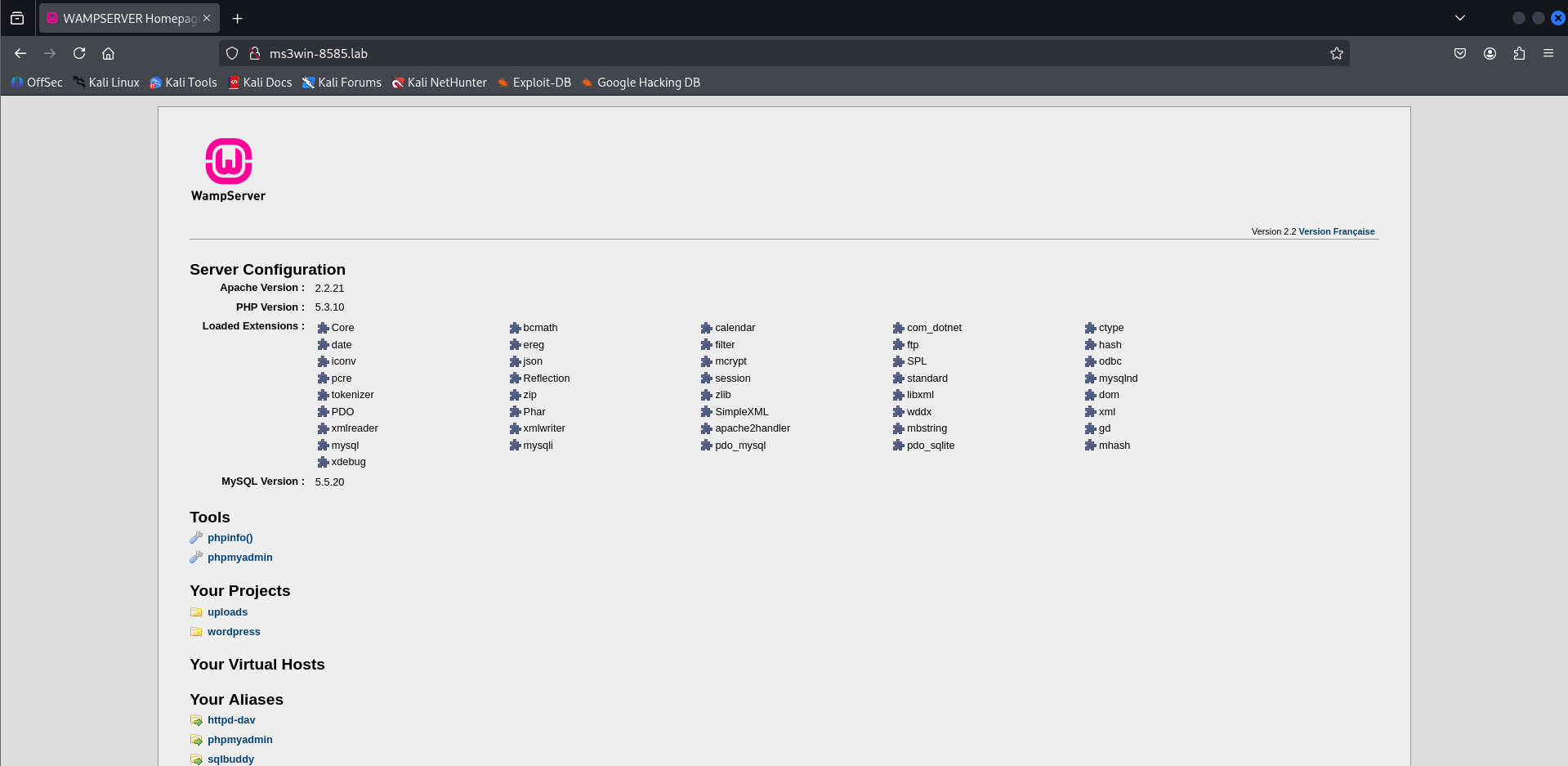
To finish, the last web service (WampServer) of Metasploitable3 (Windows version, port 8585) is also accessible from the WAN.
# Suricata Tests
**Objective**: Validate proper intrusion detection on the network, alert generation, and the ability to detect malicious activities.
## Tested Scenario
- **Complete and aggressive Nmap scan** (network enumeration, web) from any machine to the DMZ.
- **Expected result**: Suricata must detect and alert on scan attempts and suspicious activities.
Below is a demonstration of Suricata network monitoring on the DMZ:
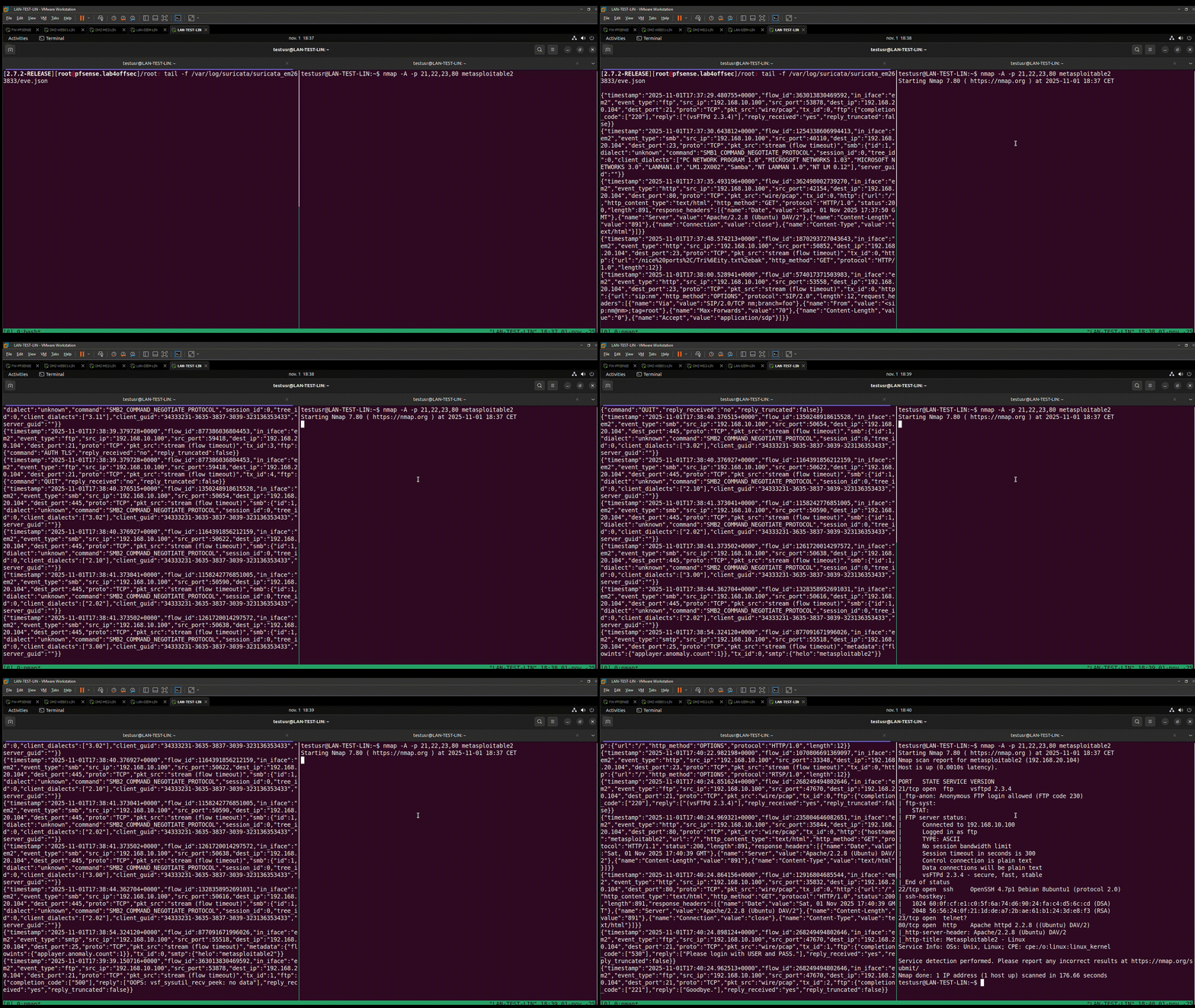
In the previous capture, we notice that traffic is generated on the Suricata logs side of the DMZ (interface em2) with alerts (network, web, etc.).
Alerts returned on web interface:
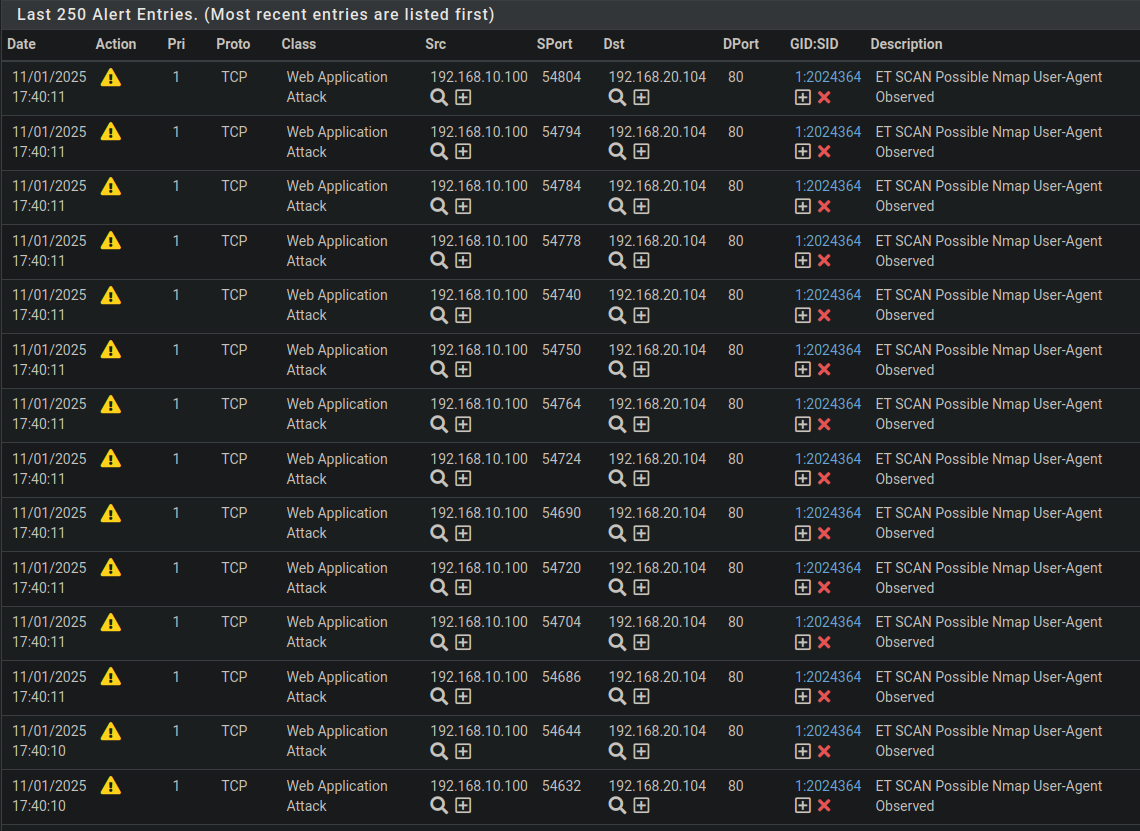
The results obtained demonstrate that Suricata is functional and capable of detecting intrusion attempts and simple malicious behaviors, in accordance with configured rules.
# Conclusion
The tests performed confirm that:
- Firewall rules are correctly configured and applied on all interfaces
- The NAT rule works as expected, allowing practical and secure access to DMZ web services from the WAN.
- Suricata effectively detects suspicious activities and generates relevant alerts.